Transform your product data sheet template into an interactive, cloud-based asset – fully customizable, accurate, and simple to distribute. Whether your team requires a technical data sheet template, a product spec sheet template, or a safety data sheet template, DCatalog eliminates manual PDF production so engineering, sales, and marketing teams always deliver verified product specifications.
 Watch the video
DCatalog replaces outdated Product Data Sheets (PDS), Technical Data Sheets (TDS), Specification Sheets, and Safety Data Sheets (SDS) with fully branded, interactive templates. Start with a custom-designed layout that mirrors your existing documentation structure – whether it includes tables, sectioned content, or compliance formatting. Generate real-time digital versions or downloadable PDFs in minutes, not days.
Our flexible platform supports any layout, ensuring your data sheets remain consistent, on-brand, and always up to date.
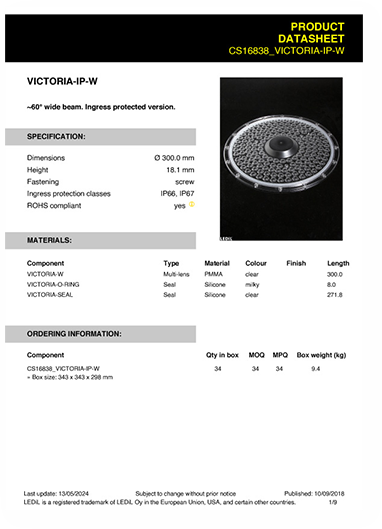
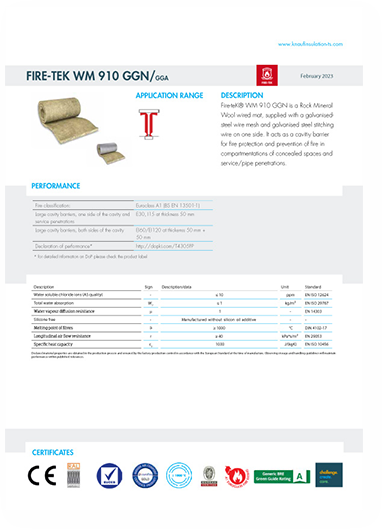
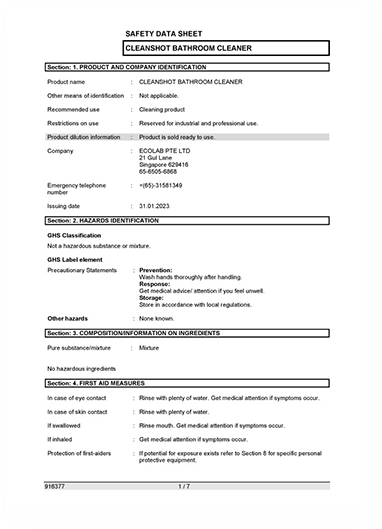
With DCatalog you can create any type of sheet to reflect your brand’s product standards. Personalize templates with your colors, fonts, logos, and more. Just upload your product data and instantly transform it into visually interesting, interactive digital product data & specification sheets that are ready to share.


DCatalog syncs directly with your product database or Excel file, so any changes – whether it’s product variation, color, attributes, or any product metadata defined – are automatically reflected in your digital Product Data & Spec Sheets, in real time. No more worries about outdated product info!
Enhance the generated sheets as a flipbook with interactive features, including:


Your digital product, specification, and technical data sheets are visible flawlessly on desktops, tablets, and smartphones. Share them via email, embed on your website, or distribute them across social media for maximum reach and brand awareness.
DCatalog provides multiple layers of security to safeguard your digital sheets, allowing you to set unique passwords for client access, connect with SSO, or embed content behind your existing HTTPS login page, ensuring controlled and secure document sharing.

Start creating smarter data sheets with DCatalog today.
Import your product information from a CSV file, spreadsheet, or even connect with an API or product database.
Choose from a variety of professionally designed data sheet templates or create a fully-customized product and spec sheet template layout that meets your data needs. Personalize your product data sheets and specification sheet templates with your branding.

Generate a PDF or a shareable online flipbook link of your product data sheet template. Embed it on your website, or distribute it via email or social media to keep customers and partners up to date.
Generate all of your data sheets with DCatalog templates – your marketing team, dealers, sales reps and customers will love the convenience and interactivity!

Automating data sheet updates eliminates manual data entry errors and ensures consistent, real-time product info for your customers.

Manufacturers, distributors, and dealers can generate tailored product data & spec sheets based on client agreements, regions, or bulk purchase tiers.

Instantly update your data sheets across multiple channels, ensuring that top dealers, distributors, customers, and partners always have access to the latest spec information.

Sync product fields directly from your existing PIM, DAM, ERP, eCommerce platform, webhooks, feeds or a preferred system for effortless management.

Interactive, digital PDS, TDS, & SDS provide better navigation, up to date product information, and multimedia elements that enhance customer engagement and decision-making.

As your company expands, automated product data & spec sheets allow you to efficiently manage and distribute up-to-date pricing across multiple markets and partners.
Ready to replace static spec sheets with dynamic, automated product documentation? DCatalog makes it simple to generate, update, and publish technical data sheets that accelerate sales and streamline engineering communication.
Upload your structured product data via spreadsheet or API, choose an interactive data sheet template, and configure your branding. DCatalog generates both print-ready PDFs and responsive digital spec sheets in minutes.
DCatalog supports CSV, XLS/XLSX, XML, JSON, Google Product Feeds, and API webhooks, and connects directly to PIM, ERP, DAM, and eCommerce platforms. Data fields map directly to your product data sheet template to automate document updates.
Yes. When connected to your product database or spreadsheet, any change to specifications, dimensions, or SKUs updates your live digital technical data sheets automatically.
Yes. All data sheet templates are fully responsive, so engineers, sales reps, and buyers can review specifications on smartphones, tablets, and desktops.
Yes. DCatalog generates print-ready PDFs alongside interactive web links for every product data sheet template, supporting both digital and print distribution.
A professional product data sheet template should include the product name, SKU, and model variants; a short overview of applications; a technical specifications table (dimensions, ratings, materials); drawings or product images; compliance certifications such as ISO, CE, RoHS, or UL; and ordering or configuration options.